
Reynolds Lift Technologies
Zoho Quote Widgets
Three custom widgets embedded as iframes inside Zoho CRM Deal records.
Fully owned and hosted on reynolds.energy infrastructure (Cloudflare Pages at zoho.reynolds.energy).
Live Widgets
Open these links in any browser. Mock data loads automatically when the Zoho SDK is not present (dev mode).
Build Info
For Zoho Admins: Update Widget Base URLs after Deploy
After any push to main (and successful deploy), the three widget registrations inside Zoho CRM must be updated so that the iframes shown inside Deal records load from the current hosting.
The three exact Base URLs (include the trailing slash):
https://zoho.reynolds.energy/quotes-edit/
https://zoho.reynolds.energy/quote-print/
https://zoho.reynolds.energy/margins/
- Sign into Zoho CRM with an account that has permission to manage widgets (usually admin).
-
Click the gear icon (Setup) in the upper right.
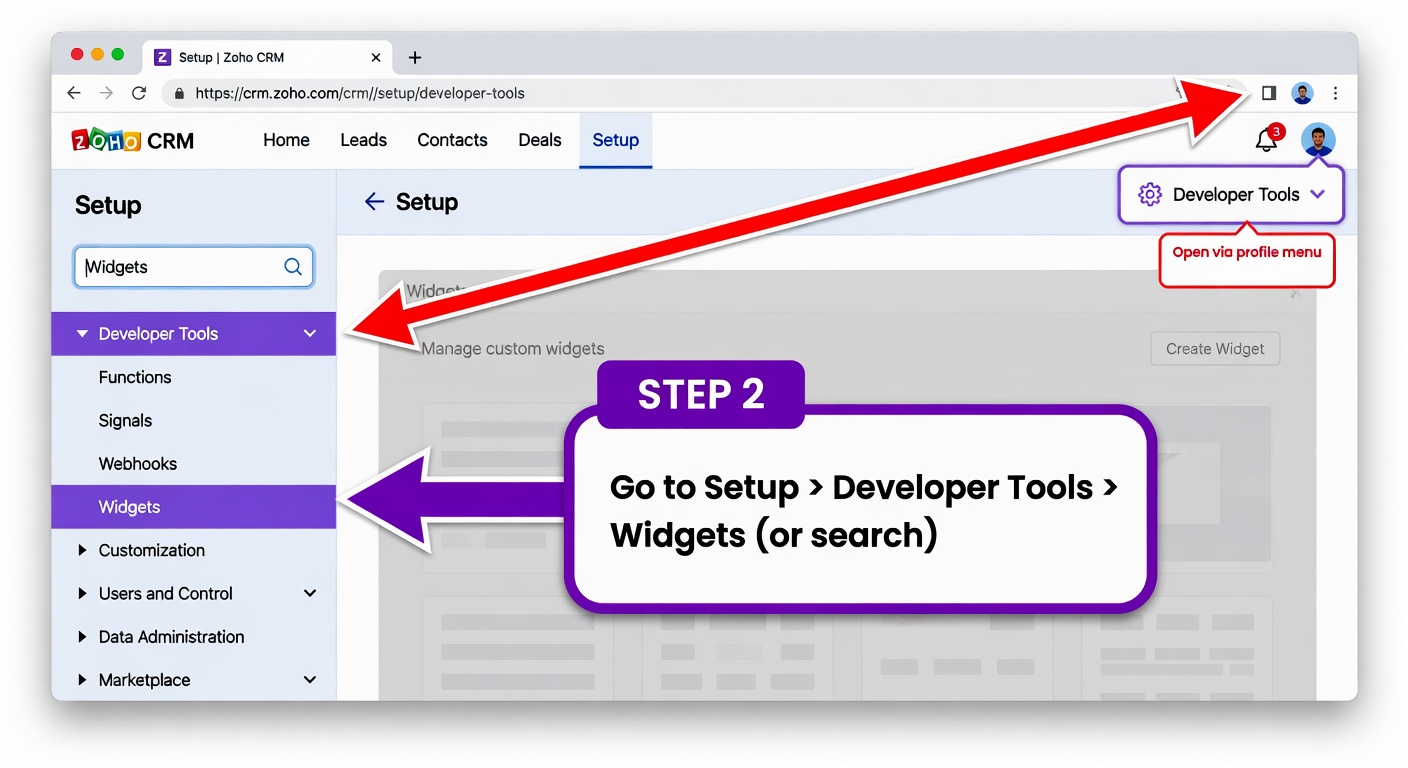
Step 2-3: Open Setup (gear) and navigate to Developer Tools > Widgets (search also works) - In the left navigation under Developer Tools (or use the search box at the top of Setup), click Widgets.
-
You will see the list of all registered widgets. Find the three that belong to this project:
- Quotes_Edit (display name usually "Quotes Edit")
- Quotes_CView (display name usually "Quote Print" or "Quotes CView")
- Margins_View (display name "Margins View")
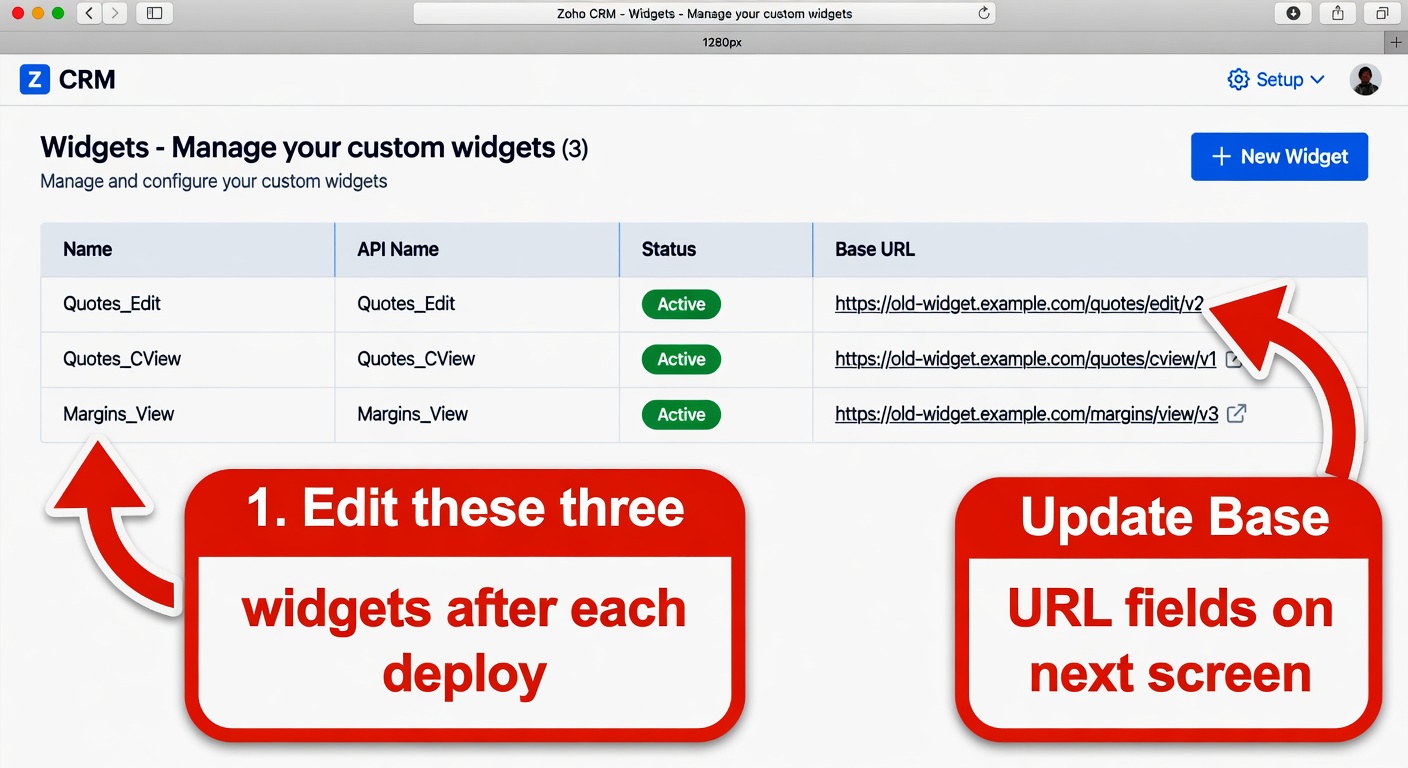
Step 4: Locate the three widgets in Setup > Developer Tools > Widgets -
For each of the three widgets:
- Click the widget (or the edit action) to open its settings.
- Locate the Base URL field.
- Replace whatever is there (old softily.com address or the previous pages.dev value) with the exact new URL listed above for that widget.
- Save the widget.
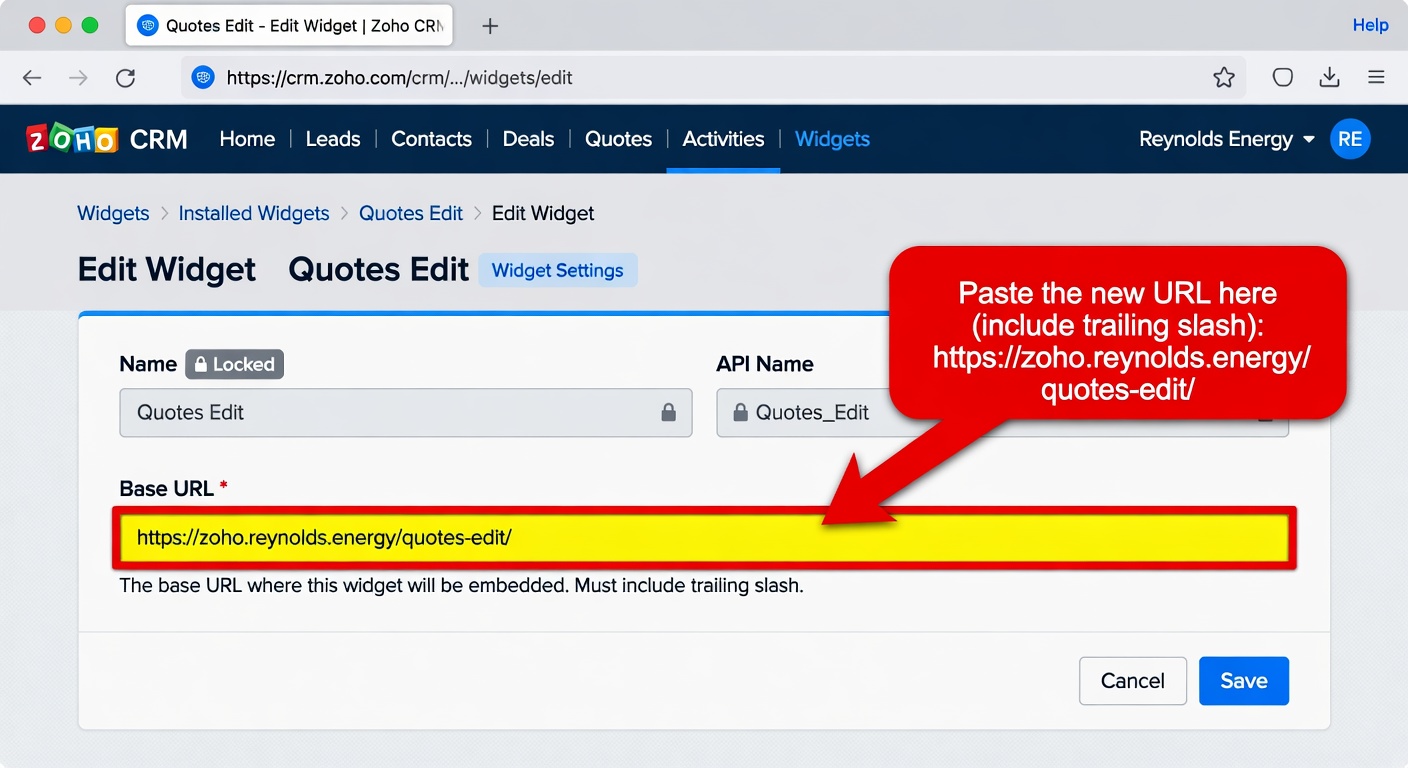
Step 5: In the widget edit screen, set Base URL to the new address (include trailing slash) and save - Test right away: open a real Deal record that contains quotes, launch each of the three widget tabs, and confirm the latest code is running (no stale behavior, all features present, no errors).
Changes to widget registrations take effect immediately for all users. The trailing slash on the Base URL is required.